Trending Games








Minesweeper Online
Welcome to the ultimate destination to play Minesweeper online. Whether you're feeling nostalgic for the classic Microsoft Windows game or discovering this brilliant brain teaser for the first time, our free online Minesweeper game offers endless fun. Test your deductive skills, avoid the hidden mines, and clear the grid to claim victory!
How to Play Minesweeper (The Rules)
Learning how to play Minesweeper is simple, but mastering it takes true logic and patience. Your main objective is to uncover all safe squares on the board without clicking on a bomb.
Here are the basic rules:
-
Left-click to reveal a blank square.
-
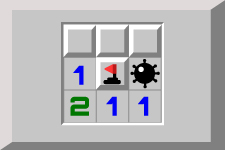
If the square is safe, it will display a number (from 1 to 8). This number tells you exactly how many mines are touching that specific square (horizontally, vertically, or diagonally).
-
Use these numbers as clues to deduce where the dangers lie.
-
Right-click to place a red flag on a square you are certain hides an explosive.
-
You win the game when every single safe square is revealed!
Minesweeper Difficulty Levels
Our platform caters to every type of puzzle solver. Choose your preferred board size and jump into the retro gaming action:
-
Beginner: A small 9x9 grid with 10 hidden bombs. Perfect for learning the ropes and a quick mental warmup.
-
Intermediate: A 16x16 board with 40 mines. A solid, balanced challenge for regular players.
-
Expert: A massive 30x16 grid with 99 mines. Only true Minesweeper masters can sweep this board cleanly!
-
Custom: Want to test your limits? Create your own grid size and mine density for a personalized experience.
Best Tips and Strategies to Win
Want to beat your high score and improve your win rate? Keep these advanced Minesweeper strategies in mind:
-
Start in the corners: Clicking in the corners or edges often opens up larger chunks of safe territory right away.
-
Memorize common patterns: Recognizing famous number patterns like the "1-1", "1-2-1", and "1-2-2-1" will help you quickly identify safe spots and place flags without risky guessing.
-
Use "Chording": Once you have placed the correct number of flags around a numbered square, click both mouse buttons simultaneously (or click the number itself) to instantly reveal the remaining adjacent squares. This saves time!
-
Rely on logic, not luck: This is a classic PC game based on pure deduction. Save blind guessing as an absolute last resort.
The History of the Classic PC Game
Originally popularized in the early 1990s as a built-in computer program, Minesweeper was actually created to help new users practice using a computer mouse. The game subtly taught people how to left-click and right-click with speed and precision. Today, it has evolved past its origins as an operating system training tool, cementing itself as one of the most beloved retro games and a timeless test of cognitive skills and pattern recognition. There are different variations of this classic puzzle game: Minesweepr, Minesweeper Unblocked, and Minefield game to name a few.
For a different kind of merging puzzle, try 2048 Cupcakes and combine matching cupcakes to unlock new ones. If you enjoy planning several moves ahead, play 2048 and merge numbered tiles as you work toward the 2048 tile. Another way to test your logical thinking is to solve a Sudoku puzzle by placing the correct numbers in every row, column, and box. When you want to switch from numbers and mines to colors, give Water Sort a try and sort the liquids into matching containers.